
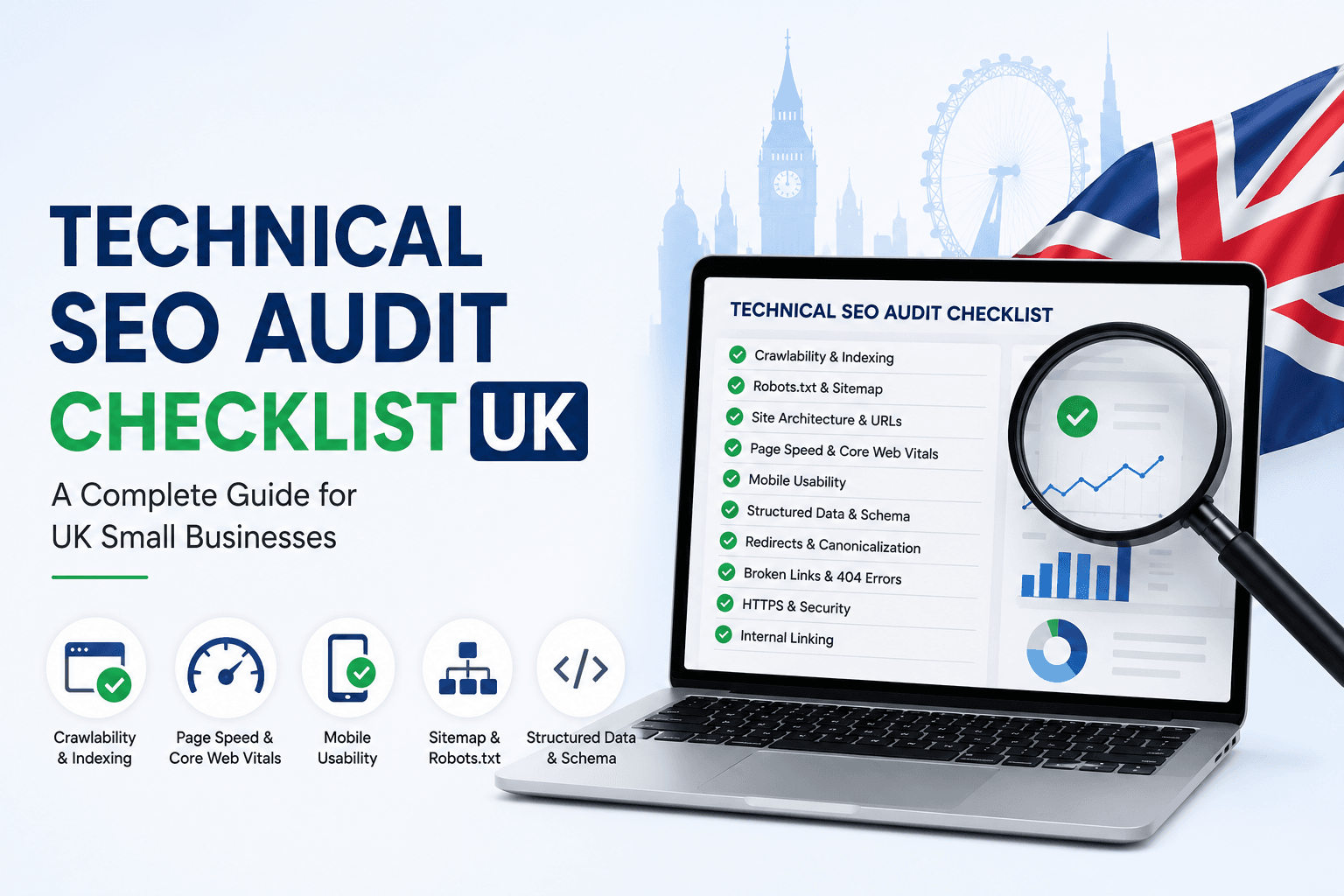
Technical SEO Audit Checklist UK: A Complete Guide for Small Businesses
A website can look professional, have good content and still fail to rank on Google if its technical foundation is weak. That is why every business owner, marketer or agency should use a proper technical SEO audit checklist UK before investing more money into content, backlinks or paid campaigns.
Technical SEO is the process of making sure search engines can crawl, understand, index and evaluate your website correctly. If Google cannot access important pages, if your site loads slowly, if your sitemap is broken or if your pages have duplicate technical signals, your rankings and organic traffic can suffer.
For UK small businesses, this matters even more. Competition is high across local services, e-commerce, professional services, property, finance, healthcare, education and B2B industries. A technically weak website gives competitors an easy advantage.
This guide explains the key areas you should check during a technical SEO audit and how each issue can affect your website’s search performance.
What Is a Technical SEO Audit?
A technical SEO audit is a full review of the technical health of a website. The goal is to identify problems that may stop search engines from crawling, indexing or ranking your pages properly.
A technical audit usually checks:
- Website crawlability
- Indexing status
- XML sitemap
- Robots.txt file
- URL structure
- Canonical tags
- Redirects
- Broken links
- Page speed
- Core Web Vitals
- Mobile usability
- Structured data
- Internal linking
- HTTPS security
- Duplicate content
- Search Console errors
Unlike content SEO, which focuses on keywords and page copy, technical SEO focuses on how well your website works behind the scenes.
A good audit does not only list problems. It explains which issues are urgent, how they affect performance and what should be fixed first.
Why UK Businesses Need a Technical SEO Audit
Many UK businesses spend money on blogs, ads and social media before checking whether their website is technically ready to perform. This can waste time and budget.
A technical SEO audit can help you find out why:
- Your website is not ranking
- Important pages are not indexed
- Organic traffic has dropped
- Google Search Console shows errors
- Pages load slowly
- Leads are not coming from organic search
- Competitors are ranking above you
- New content is not getting visibility
- Product pages are not appearing in search
- Local service pages are underperforming
Technical SEO is especially important for websites built on WordPress, Shopify, WooCommerce, Magento, Wix or custom CMS platforms. Each platform can create different technical issues if not configured properly.
Technical SEO Audit Checklist UK
Use the following checklist to review your website step by step.
1. Check If Google Can Crawl Your Website
The first step in any technical SEO audit is to confirm that Google can access your website.
If search engines cannot crawl your pages, those pages cannot rank properly.
Check:
- Is the website accessible to search engines?
- Are important pages blocked by robots.txt?
- Are important pages marked as noindex?
- Are internal links easy to follow?
- Are pages hidden behind forms, scripts or login areas?
- Are there server errors blocking access?
You can test important pages using Google Search Console’s URL Inspection tool. If Google reports that a page is blocked, unavailable or not indexed, that issue should be reviewed immediately.
2. Review the Robots.txt File
The robots.txt file tells search engine crawlers which parts of a site they can or cannot crawl.
A small mistake in this file can block important pages from search engines.
Check whether robots.txt is blocking:
- Service pages
- Product pages
- Blog posts
- Category pages
- Images
- CSS or JavaScript files
- Sitemap access
A good robots.txt file should guide search engines without blocking important ranking pages.
For most business websites, you should not block key pages unless there is a clear reason.
3. Check XML Sitemap Health
An XML sitemap helps search engines discover the important pages on your website.
During a technical SEO audit, check whether:
- The sitemap exists
- The sitemap is submitted in Google Search Console
- The sitemap includes only indexable URLs
- Broken or redirected URLs are removed
- Noindex pages are excluded
- Duplicate URLs are not included
- Important service and product pages are present
- The sitemap updates automatically when new content is published
A messy sitemap can send confusing signals to search engines. It should contain only clean, useful and indexable pages.
4. Review Google Search Console Indexing Issues
Google Search Console is one of the most important tools for technical SEO.
Check the Page Indexing report for issues such as:
- Crawled, currently not indexed
- Discovered, currently not indexed
- Duplicate without user-selected canonical
- Alternate page with proper canonical tag
- Excluded by noindex tag
- Blocked by robots.txt
- Soft 404
- Not found 404
- Server error 5xx
- Redirect error
Not every excluded URL is a problem. For example, some filtered pages or admin pages should not be indexed. The key is to identify whether valuable business pages are being excluded by mistake.
5. Check Website Indexation Manually
You can also run a simple Google search to check indexation.
Search:
site:yourdomain.com
This shows some of the pages Google has indexed from your website.
Look for problems such as:
- Too few indexed pages
- Old pages still appearing
- Duplicate title pages
- Test pages indexed
- Tag or archive pages indexed unnecessarily
- Thin pages appearing in search
- Important service pages missing
Manual checks are not perfect, but they can quickly reveal obvious problems.
6. Fix Broken Links and 404 Errors
Broken links create poor user experience and can waste crawl budget.
Check for:
- Internal links pointing to 404 pages
- Deleted blog posts
- Removed products
- Old service URLs
- Broken image files
- External links pointing to dead websites
For important deleted pages, use proper 301 redirects to the most relevant live page.
Do not redirect every deleted page to the homepage. That can confuse users and search engines. Redirect to a page that closely matches the old content.
7. Review Redirect Chains
A redirect chain happens when one URL redirects to another URL, which then redirects again.
Example:
Page A → Page B → Page C
This creates unnecessary delay and can reduce crawl efficiency.
During your audit, check:
- HTTP to HTTPS redirects
- www to non-www redirects, or the reverse
- Old page redirects
- Plugin-created redirects
- Redirect loops
- Long redirect chains
The ideal setup is a single clean redirect from the old URL to the final destination.
8. Check Canonical Tags
Canonical tags tell search engines which version of a page should be treated as the main version.
Canonical problems are common on e-commerce websites, blogs and websites with similar service pages.
Check whether:
- Each important page has a self-referencing canonical
- Duplicate or similar pages point to the correct main page
- Canonicals do not point to broken URLs
- Canonicals do not point to redirected URLs
- Paginated or filtered pages are handled correctly
- Product variation pages are managed properly
Incorrect canonicals can stop important pages from ranking, even if the content is strong.
9. Analyse Page Speed
Page speed affects user experience and can influence SEO performance.
A slow website can lead to:
- Higher bounce rate
- Lower conversion rate
- Poor mobile experience
- Weaker Core Web Vitals
- Lost leads and sales
Check:
- Largest images
- Unused CSS
- Unused JavaScript
- Server response time
- Render-blocking resources
- Font loading
- Caching
- Lazy loading
- Image compression
- Hosting quality
For UK users, your website should load quickly from UK and European locations. If your server is far away or poorly configured, users may experience delays.
10. Review Core Web Vitals
Core Web Vitals measure real user experience.
The main metrics are:
- Largest Contentful Paint
- Interaction to Next Paint
- Cumulative Layout Shift
In simple terms, these metrics check how quickly your page loads, how responsive it is and whether elements move unexpectedly while loading.
Check your Core Web Vitals inside Google Search Console and PageSpeed Insights.
Common problems include:
- Heavy hero images
- Too many plugins
- Slow hosting
- Large JavaScript files
- Poor theme structure
- Unoptimised sliders
- Third-party tracking scripts
- Layout shifts from ads, fonts or images
Core Web Vitals should be reviewed on both mobile and desktop, but mobile performance is especially important.
11. Test Mobile Usability
Most users search from mobile devices. If your website does not work well on mobile, SEO and conversions can both suffer.
Check:
- Is the text easy to read?
- Are buttons easy to tap?
- Does the menu work properly?
- Are forms easy to complete?
- Is the contact button visible?
- Does the page fit the screen?
- Are images responsive?
- Is the website fast on mobile data?
A website may look good on desktop but perform poorly on mobile. Always test both.
12. Review Website Architecture
Website architecture means how your pages are organised and connected.
A good structure helps users and search engines understand your website.
For a UK service business, a simple structure may look like:
- Home
- Services
- Service pages
- Industries
- Locations
- Blog
- Case studies
- Contact
Important pages should not be buried too deep. Ideally, key service pages should be reachable within a few clicks from the homepage.
Check whether:
- Main services are in the menu
- Important pages have internal links
- Blog posts link to relevant service pages
- Category pages are useful
- Breadcrumbs are present
- URL structure is clean
Poor structure can make even good content harder to discover.
13. Check Internal Linking
Internal links help distribute authority across your website and guide users to important pages.
During your technical SEO audit, check:
- Are service pages linked from related blogs?
- Are important pages linked from the homepage?
- Are old blogs linking to new service pages?
- Are anchor texts natural and relevant?
- Are there orphan pages?
- Are too many links pointing to low-value pages?
An orphan page is a page with no internal links pointing to it. Search engines may struggle to discover or prioritise it.
14. Review URL Structure
Clean URLs are easier for users and search engines to understand.
Good examples:
/technical-seo-audit//local-seo-services//shopify-seo-services/
Poor examples:
/page?id=123/services/new-final-copy-2//category/uncategorized/post-name/
Check whether URLs are:
- Short
- Descriptive
- Lowercase
- Free from unnecessary dates
- Free from random numbers
- Consistent across the site
Do not change existing URLs without planning redirects. URL changes can affect rankings if handled carelessly.
15. Check HTTPS and Website Security
Your website should use HTTPS. This protects user data and builds trust.
Check:
- SSL certificate is active
- No mixed content warnings
- HTTP pages redirect to HTTPS
- Security warnings are not appearing
- Contact forms are secure
- Payment pages are secure, if applicable
For UK businesses, trust matters. A security warning can immediately stop visitors from contacting you.
16. Review Structured Data and Schema Markup
Structured data helps search engines understand your website better.
Depending on the page type, you can use:
- Organization schema
- LocalBusiness schema
- Service schema
- Article schema
- FAQ schema
- Product schema
- Review schema
- Breadcrumb schema
Schema should match visible page content. Do not add fake reviews, false ratings or information that users cannot see on the page.
For service businesses, Service schema and LocalBusiness schema can be useful. For blogs, Article and FAQ schema can help clarify the content structure.
17. Check Duplicate Content
Duplicate content can confuse search engines, especially when several pages are very similar.
Common duplicate content issues include:
- Similar service pages for different locations
- Product pages with manufacturer descriptions
- HTTP and HTTPS versions
- www and non-www versions
- Tag and archive pages
- Printer-friendly pages
- Filtered URLs
- Tracking parameter URLs
The solution may involve canonical tags, content rewriting, noindex rules, redirects or better site structure.
18. Review On-Page Technical Elements
Technical SEO also includes basic on-page elements.
Check every important page for:
- One clear H1
- Proper H2 and H3 structure
- Unique SEO title
- Unique meta description
- Descriptive image alt text
- Internal links
- External links where useful
- Clean content formatting
- Clear call to action
These elements help both users and search engines understand the purpose of each page.
19. Check Image SEO
Images can slow down a website if they are too large. They can also support SEO when properly optimised.
Check:
- File size
- Image dimensions
- File names
- Alt text
- Lazy loading
- WebP or AVIF format
- Image compression
- Mobile display
Avoid uploading huge images directly from a camera or design tool without compression.
20. Audit Tracking and Analytics
SEO is not only about rankings. You need to measure what happens after users visit your website.
Check whether you have:
- Google Analytics 4 installed
- Google Search Console verified
- Conversion tracking
- Contact form tracking
- Phone click tracking
- WhatsApp or live chat tracking
- Thank-you pages
- Goal events
Without tracking, it becomes difficult to know whether SEO is producing leads, sales or meaningful engagement.
How Often Should You Run a Technical SEO Audit?
For most UK small businesses, a technical SEO audit should be done at least every six months.
However, you should audit sooner if:
- You redesign your website
- You migrate to a new CMS
- You change hosting
- Organic traffic drops
- Google Search Console shows new errors
- You add many new products or pages
- You update plugins or themes
- You move from HTTP to HTTPS
- You change URL structure
For e-commerce websites, technical monitoring should be more frequent because product pages, categories and stock status change regularly.
Technical SEO Audit Tools
Several tools can help with technical SEO audits.
Commonly used tools include:
- Google Search Console
- Google Analytics 4
- PageSpeed Insights
- Screaming Frog
- Sitebulb
- Ahrefs
- Semrush
- GTmetrix
- Rich Results Test
- Schema Markup Validator
- Chrome DevTools
Tools are helpful, but they do not replace expert judgement. A tool can show errors, but an SEO specialist decides which issues matter most and how to fix them safely.
When Should You Hire a Technical SEO Specialist?
You should consider hiring a technical SEO specialist if:
- Your website is not getting indexed
- Traffic suddenly dropped
- Search Console shows many errors
- Your developer is unsure about SEO fixes
- Your e-commerce site has duplicate URL problems
- You are planning a website migration
- Pages are slow on mobile
- Google is ignoring important pages
- Your agency needs technical SEO support
- You want a clear action plan before investing in content
A proper audit can save money by showing what should be fixed before starting new campaigns.
How Jarin Tech Can Help UK Businesses
Jarin Tech provides remote SEO, AEO and GEO support for businesses and agencies in the UK, Ireland and Europe. Our technical SEO work focuses on practical issues that affect crawling, indexing, rankings and conversions.
Our technical SEO audit may include:
- Full website crawl
- Google Search Console review
- Indexing issue analysis
- Sitemap and robots.txt check
- Canonical tag review
- Broken link detection
- Redirect review
- Page speed recommendations
- Core Web Vitals review
- Mobile usability check
- Internal linking analysis
- Schema review
- Priority-based action plan
For agencies, we can also provide white-label technical SEO audit support with clear reports and implementation guidance.
Conclusion
A strong website needs more than attractive design and good content. If search engines cannot crawl, index or understand your pages properly, your SEO performance will always be limited.
This technical SEO audit checklist UK guide gives you a clear starting point. Begin with crawlability, indexing, sitemap, robots.txt, page speed, mobile usability, internal linking, structured data and Search Console errors. Then prioritise fixes based on business impact.
For UK businesses, technical SEO can be the difference between a website that simply exists and a website that actively brings traffic, leads and sales.
If your website is not ranking, not getting indexed or not converting organic visitors, Jarin Tech can review your technical SEO condition and provide a clear action plan.
FAQs About Technical SEO Audit Checklist UK
What is included in a technical SEO audit?
A technical SEO audit usually includes crawlability, indexing, sitemap, robots.txt, page speed, Core Web Vitals, canonical tags, redirects, broken links, mobile usability, internal linking and schema review.
How long does a technical SEO audit take?
The time depends on the website size and complexity. A small business website may take a few days, while a large e-commerce website can take longer.
Do UK small businesses need technical SEO?
Yes. Technical SEO helps search engines access and understand your website. It is important for local businesses, service websites, e-commerce stores and B2B companies.
Can technical SEO improve rankings?
Technical SEO can improve rankings when technical issues are limiting crawlability, indexing, speed, structure or user experience. It works best alongside strong content and authority building.
How often should I audit my website?
Most websites should be audited every six months. E-commerce websites, large websites or recently redesigned websites may need more frequent audits.
Can Jarin Tech audit UK websites remotely?
Yes. Jarin Tech can provide remote technical SEO audits for UK websites, including Search Console review, crawl analysis, page speed checks and priority-based recommendations.
If you found this blog useful please kindly follow us on Facebook at Jarintechbd