
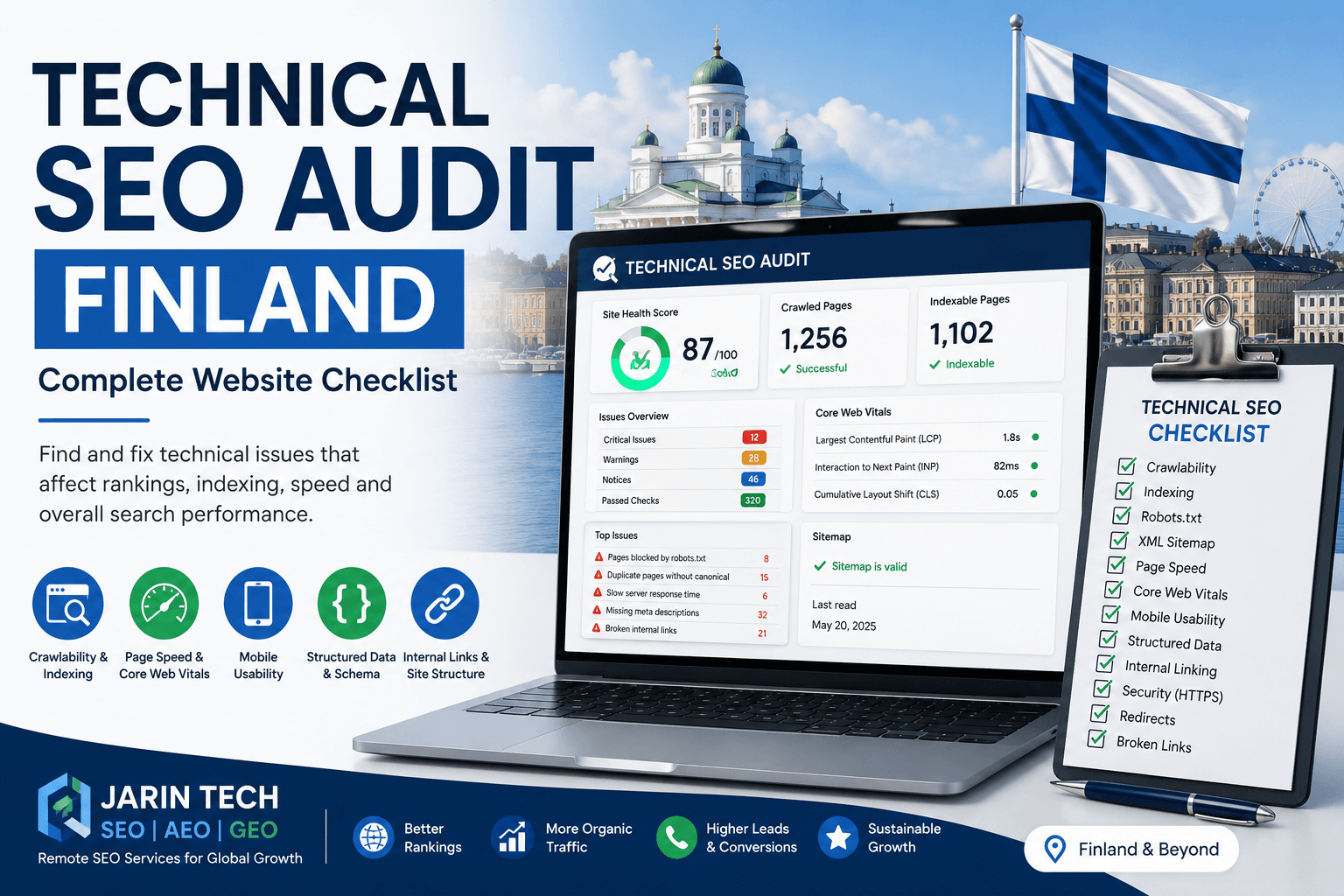
Technical SEO Audit Finland: A Practical Checklist for Business Websites
A website can have a clean design, strong branding and useful content, but still fail to generate organic traffic if the technical foundation is weak. That is why a technical SEO audit Finland businesses can rely on is essential before investing heavily in blogs, landing pages, backlinks or paid campaigns.
For Finnish startups, SaaS companies, e-commerce stores and service-based businesses, technical SEO plays a major role in search performance. If Google cannot crawl, index or understand your website correctly, your important pages may not appear in search results. Even worse, technical errors can remain hidden for months while the business continues publishing content that never performs properly.
A technical SEO audit helps identify these issues clearly. It checks how search engines access the site, how pages are indexed, how fast the website loads, how mobile-friendly it is and whether the structure supports long-term organic growth.
This guide explains the most important technical SEO checks Finnish businesses should review to improve visibility in Google Search and prepare for AI-driven search platforms.
What Is a Technical SEO Audit?
A technical SEO audit is a detailed review of a website’s technical health from a search engine perspective. The goal is to find problems that may affect crawling, indexing, ranking, user experience and conversion.
A proper technical audit usually checks:
- Crawlability
- Indexing status
- Robots.txt
- XML sitemap
- URL structure
- Canonical tags
- Redirects
- Broken links
- Page speed
- Core Web Vitals
- Mobile usability
- Structured data
- Internal linking
- Duplicate content
- JavaScript rendering
- Website security
- Search Console errors
Technical SEO is different from content SEO. Content SEO focuses on keywords, headings, copy, search intent and topic coverage. Technical SEO focuses on whether the website works correctly for search engines and users.
Both are important. But if the technical foundation is weak, even excellent content may struggle to rank.
Why Finnish Businesses Need Technical SEO
Finland has a highly digital business environment. Many Finnish companies operate in competitive sectors such as SaaS, clean technology, gaming, manufacturing, health technology, education, consulting, e-commerce and B2B services.
In these markets, a website must do more than look professional. It must be technically strong.
A technical SEO audit can help Finnish businesses identify why:
- Important pages are not indexed
- Organic traffic is not growing
- Google Search Console shows errors
- Pages load slowly on mobile
- Blog posts are not ranking
- Product pages are missing from search
- International pages are not performing
- Website migrations caused ranking drops
- Google is choosing the wrong canonical URL
- Core Web Vitals are poor
- Competitors are ranking with weaker content
For startups and growing companies, this is especially important. Technical mistakes made early can limit organic growth for a long time.
Technical SEO Audit Finland: Complete Checklist
Below is a practical checklist to review the technical SEO health of a Finnish business website.
1. Check Website Crawlability
The first step is to confirm that search engines can crawl your website.
If Google cannot access your important pages, those pages cannot rank properly.
Check whether:
- Important pages are accessible
- Navigation links are crawlable
- Internal links work correctly
- Pages are not blocked by robots.txt
- Pages are not hidden behind login areas
- JavaScript content is visible to search engines
- Server errors are not blocking crawlers
- Important pages are linked from the site structure
Use Google Search Console’s URL Inspection tool to test your most important pages. You can also use crawling tools to see how search engines may move through the website.
If important service, product or landing pages are not crawlable, fix this before working on content expansion.
2. Review Robots.txt
The robots.txt file gives crawling instructions to search engines. It can be useful, but a small mistake can block important parts of the website.
During a technical SEO audit, check whether robots.txt is blocking:
- Service pages
- Product pages
- Blog posts
- Category pages
- Images
- CSS files
- JavaScript files
- Sitemap access
A common mistake is leaving development rules active after a website goes live. For example, a site may accidentally block all search engines with a disallow rule.
Your robots.txt should guide crawlers, not prevent them from accessing valuable pages.
3. Check XML Sitemap Health
An XML sitemap helps search engines discover important URLs.
A good sitemap should include only clean, indexable and important pages.
Check whether:
- The sitemap exists
- It is submitted in Google Search Console
- It includes important pages
- It excludes noindex pages
- It excludes redirected URLs
- It excludes broken URLs
- It updates automatically
- It does not include duplicate URLs
- It uses the correct HTTPS version
For websites with multiple languages or country sections, the sitemap should be organised carefully. If your Finnish website targets Finland, the UK, Ireland or wider Europe, make sure the sitemap supports that structure clearly.
4. Review Google Search Console Indexing Issues
Google Search Console is one of the most useful tools for technical SEO.
Check the Page Indexing report for issues such as:
- Crawled, currently not indexed
- Discovered, currently not indexed
- Duplicate without user-selected canonical
- Alternate page with proper canonical tag
- Excluded by noindex tag
- Blocked by robots.txt
- Soft 404
- Not found 404
- Server error
- Redirect error
Not every excluded URL is a problem. Some pages should not be indexed. However, if your main service pages, product pages or blog articles are excluded, you need to investigate.
For Finnish startups and SaaS companies, indexing issues often appear after website redesigns, landing page tests or CMS changes.
5. Check Important Pages Manually
A simple manual check can reveal major issues.
Search on Google:
site:yourdomain.com
This shows some of the pages Google has indexed.
Look for:
- Important pages missing
- Old pages still indexed
- Test pages indexed
- Duplicate pages
- Thin tag pages
- Unwanted archive pages
- Strange URL parameters
- Incorrect titles
- Outdated content
This check is not a complete audit, but it gives a fast overview of how Google currently sees your website.
6. Review URL Structure
Clean URLs help users and search engines understand page topics.
Good examples:
/technical-seo-audit-finland//seo-for-finnish-startups//shopify-seo-finland/
Weak examples:
/page?id=497/new-page-final-copy//services/seo/post-123/
A good URL should be:
- Short
- Descriptive
- Lowercase
- Easy to read
- Free from unnecessary numbers
- Consistent with site structure
Do not change existing URLs without planning. If a URL already has traffic, backlinks or rankings, changing it without a proper redirect can damage performance.
7. Check Canonical Tags
Canonical tags tell search engines which version of a page is the main version.
This is important for websites with duplicate or similar content.
Canonical issues are common on:
- E-commerce websites
- SaaS landing pages
- Blog category pages
- Multi-language websites
- Filtered product pages
- Tracking parameter URLs
- Location-based service pages
Check whether:
- Important pages have self-referencing canonicals
- Duplicate pages point to the correct main page
- Canonicals do not point to broken URLs
- Canonicals do not point to redirected URLs
- Canonicals match the preferred HTTPS version
- Product or category pages are not incorrectly canonicalised
Wrong canonical tags can stop valuable pages from ranking.
8. Fix Broken Links and 404 Errors
Broken links create poor user experience and waste crawl resources.
During the audit, check:
- Internal links pointing to 404 pages
- Deleted blog posts
- Removed products
- Old campaign pages
- Broken image URLs
- External links pointing to dead websites
If an important old page has been removed, redirect it to the most relevant current page. Avoid redirecting everything to the homepage. That is rarely the best solution.
For e-commerce websites, 404 errors often appear when products are removed. Plan how to handle discontinued or out-of-stock products carefully.
9. Review Redirects
Redirects are sometimes necessary, especially after redesigns, migrations or URL changes. But too many redirects can create technical problems.
Check for:
- Redirect chains
- Redirect loops
- Temporary 302 redirects used incorrectly
- HTTP to HTTPS issues
- www and non-www inconsistencies
- Old pages redirecting to irrelevant pages
- Plugin-generated redirect problems
The best setup is usually one clean 301 redirect from the old URL to the most relevant new URL.
If a Finnish business recently changed its website platform or domain structure, redirect review should be a priority.
10. Analyse Page Speed
Page speed affects both SEO and conversions. A slow website can cause visitors to leave before they read your content or contact your business.
Check:
- Large images
- Uncompressed media
- Slow server response
- Unused CSS
- Unused JavaScript
- Render-blocking resources
- Heavy themes
- Too many plugins
- Third-party scripts
- Poor caching
- Font loading issues
For Finnish businesses targeting international users, page speed should be tested from multiple regions where customers are located. A website may load quickly in Finland but slowly for users in the UK or other European countries if hosting and caching are not configured properly.
11. Review Core Web Vitals
Core Web Vitals measure real user experience.
The main metrics are:
- Largest Contentful Paint
- Interaction to Next Paint
- Cumulative Layout Shift
In simple terms, these measure how quickly the main content loads, how responsive the page is and whether layout elements move unexpectedly.
Common Core Web Vitals problems include:
- Large hero images
- Slow JavaScript
- Heavy animations
- Sliders
- Poor hosting
- Unoptimised fonts
- Image dimensions not defined
- Too many tracking scripts
- Layout shifts from banners or embeds
Check Core Web Vitals in Google Search Console and PageSpeed Insights. Prioritise mobile performance first.
12. Test Mobile Usability
Many users visit websites from mobile devices. A website that looks fine on desktop can still be difficult to use on mobile.
Check:
- Text readability
- Tap target size
- Menu usability
- Contact button visibility
- Form usability
- Mobile page speed
- Responsive images
- Layout stability
- Sticky elements
- Popups blocking content
For SaaS companies and startups, mobile traffic may not always convert immediately. Still, a poor mobile experience can damage trust and engagement.
13. Review Website Architecture
Website architecture is the way your pages are organised and linked together.
A clear structure helps search engines and users understand your website.
A startup or service website may use this structure:
- Home
- Product or Services
- Use Cases
- Industries
- Resources
- Case Studies
- About
- Contact
An e-commerce website may use:
- Home
- Categories
- Subcategories
- Product pages
- Buying guides
- Blog
- Support
- Contact
Check whether:
- Important pages are easy to find
- Main services are linked from the menu
- Blog posts link to relevant service pages
- Orphan pages exist
- Breadcrumbs are used
- Internal links support priority pages
- Important pages are not buried too deep
A poor structure can reduce the value of otherwise good content.
14. Improve Internal Linking
Internal links help distribute authority and guide users through the website.
During a technical SEO audit, check:
- Do blog posts link to service pages?
- Do service pages link to related case studies?
- Do product pages link to guides?
- Are anchor texts descriptive?
- Are important pages linked from the homepage?
- Are there too many links to low-value pages?
- Are there orphan pages with no internal links?
For example, a blog about SEO for Finnish startups should link naturally to technical SEO audit, SEO services, AI SEO and contact pages.
Internal linking is one of the easiest SEO improvements to implement, but it is often ignored.
15. Check Structured Data and Schema
Structured data helps search engines understand the meaning of your content.
Useful schema types include:
- Organization schema
- LocalBusiness schema
- Service schema
- Article schema
- FAQ schema
- Product schema
- Review schema
- Breadcrumb schema
- SoftwareApplication schema, where relevant
For SaaS startups, SoftwareApplication schema may be useful if the product page qualifies. For service businesses, Service and Organization schema can help clarify the business.
Schema should match visible content. Do not add fake reviews, hidden ratings or misleading data.
16. Review Duplicate Content
Duplicate content can confuse search engines and reduce page performance.
Common sources include:
- Similar landing pages
- Product variations
- Filter URLs
- Category pages
- Tag archives
- Printer-friendly pages
- Tracking parameters
- Copied manufacturer descriptions
- Repeated location pages
- Staging sites indexed by mistake
Duplicate content does not always mean a penalty, but it can create ranking confusion.
Possible solutions include:
- Canonical tags
- Noindex rules
- Content rewriting
- Better site structure
- URL parameter handling
- Redirects
- Removing low-value pages
17. Check JavaScript Rendering
Many modern startup websites use JavaScript frameworks. These can create problems if important content is not visible to search engines.
Check whether Google can see:
- Main content
- Internal links
- Product details
- Pricing information
- CTA buttons
- Navigation links
- Blog content
- Metadata
If key content is loaded only after complex scripts run, Google may not process it as expected.
For JavaScript-heavy websites, technical SEO should include rendering checks and developer collaboration.
18. Check HTTPS and Security
A website should use HTTPS correctly.
Check:
- SSL certificate is active
- HTTP redirects to HTTPS
- No mixed content warnings
- Forms are secure
- Payment pages are secure
- Browser warnings are not appearing
- www and non-www versions are handled correctly
Security issues can reduce trust immediately. For Finnish startups targeting international customers, this is especially important.
19. Review On-Page Technical Elements
Technical SEO also includes key on-page elements.
Check important pages for:
- One clear H1
- Logical H2 and H3 structure
- Unique SEO title
- Unique meta description
- Descriptive alt text
- Internal links
- Clean formatting
- Clear CTA
- Correct canonical
- Proper index status
A page should be easy to understand without relying only on design.
20. Audit Tracking and Conversions
SEO should be connected to business results.
Check whether the website tracks:
- Organic traffic
- Form submissions
- Demo requests
- Calls
- Trial sign-ups
- Newsletter sign-ups
- Button clicks
- Contact page visits
- Country-level traffic
- Landing page performance
Use tools such as Google Analytics 4, Google Search Console and Looker Studio.
Without tracking, it is difficult to know whether SEO is creating real value.
Common Technical SEO Mistakes in Finnish Websites
Finnish business websites often face similar issues, especially after redesigns or platform changes.
Common mistakes include:
- Launching a new website without redirects
- Blocking the site with robots.txt
- Forgetting to remove noindex tags
- Publishing weak landing pages
- Using duplicate translated content
- Ignoring mobile speed
- Adding too many plugins
- Using large uncompressed images
- Not submitting a sitemap
- Not checking Search Console
- Poor internal linking
- Missing structured data
- Incorrect hreflang on multilingual websites
- Test pages appearing in Google
These issues are fixable, but they should be found early.
How Often Should You Run a Technical SEO Audit?
A technical SEO audit should not be a one-time task.
For most Finnish business websites, a full technical SEO audit should be done every six months.
You should audit sooner if:
- The website was redesigned
- URLs were changed
- Traffic dropped suddenly
- Search Console shows errors
- You moved to a new CMS
- Hosting was changed
- A new language section was added
- You launched many landing pages
- Products or categories changed
- Core Web Vitals became poor
For e-commerce and SaaS websites, ongoing monitoring is recommended.
How Jarin Tech Can Help Finnish Businesses
Jarin Tech provides remote technical SEO, SEO strategy, AEO and GEO support for Finnish startups, SaaS companies, e-commerce businesses and service providers.
Our technical SEO audit can include:
- Website crawl analysis
- Google Search Console review
- Indexing issue diagnosis
- Robots.txt and sitemap check
- Canonical tag review
- Redirect and 404 analysis
- Core Web Vitals review
- Mobile usability check
- Internal linking analysis
- Structured data review
- Duplicate content analysis
- Priority-based SEO action plan
We are based in Bangladesh and work remotely with international clients across Finland, the UK, Ireland and Europe. Our approach is practical, transparent and focused on issues that can improve search visibility and business performance.
Conclusion
A technical SEO audit Finland businesses can trust is not just a technical report. It is a roadmap for improving how search engines and users experience your website.
Before publishing more content or spending more on campaigns, make sure your website is crawlable, indexable, fast, mobile-friendly, secure and properly structured. Check your sitemap, robots.txt, canonical tags, redirects, internal links, schema and Search Console reports.
For Finnish startups and growing businesses, technical SEO creates the foundation for long-term organic visibility. When the technical structure is clean, your content, product pages and service pages have a better chance to perform.
If your Finnish website is not ranking, not getting indexed or not generating enough organic traffic, Jarin Tech can review the technical condition and provide a clear action plan.
FAQs About Technical SEO Audit Finland
What is a technical SEO audit?
A technical SEO audit is a review of website issues that affect crawling, indexing, speed, mobile usability, structured data, internal linking and overall search performance.
Why is technical SEO important for Finnish businesses?
Technical SEO helps search engines access, understand and rank your website. It is important for Finnish startups, SaaS companies, service businesses and e-commerce stores that want organic traffic.
How often should I run a technical SEO audit?
Most websites should run a technical SEO audit every six months. Larger websites, SaaS platforms and e-commerce stores may need more frequent monitoring.
Can technical SEO improve rankings?
Yes, technical SEO can improve rankings when technical issues are blocking or weakening performance. It works best alongside strong content, internal linking and authority building.
What tools are used for technical SEO audits?
Common tools include Google Search Console, Google Analytics 4, PageSpeed Insights, Screaming Frog, Sitebulb, Ahrefs, Semrush and schema testing tools.
Can Jarin Tech provide technical SEO audits for Finnish websites?
Yes. Jarin Tech provides remote technical SEO audits for Finnish websites, including crawl analysis, indexing review, Core Web Vitals checks and priority-based recommendations.
Follow us on Facebook at Jarintechbd